Solar System - PowerPoint Lesson Plan
Assignment: Students use the internet to research information about the solar system's inner and outer planets. Students locate several images of the solar system showing the order of the planets relative to the sun. Students create a 4 slide PowerPoint / Google Slides / Keynote presentation using their research information and images.
Download: solar-system-handout-powerpoint.docx
Conduct short research projects that build knowledge about a topic. CCSS.ELA-LITERACY.W.3.7 Introduce a topic and group related information together; include illustrations when useful to aiding comprehension. CCSS.ELA-LITERACY.W.3.2.A
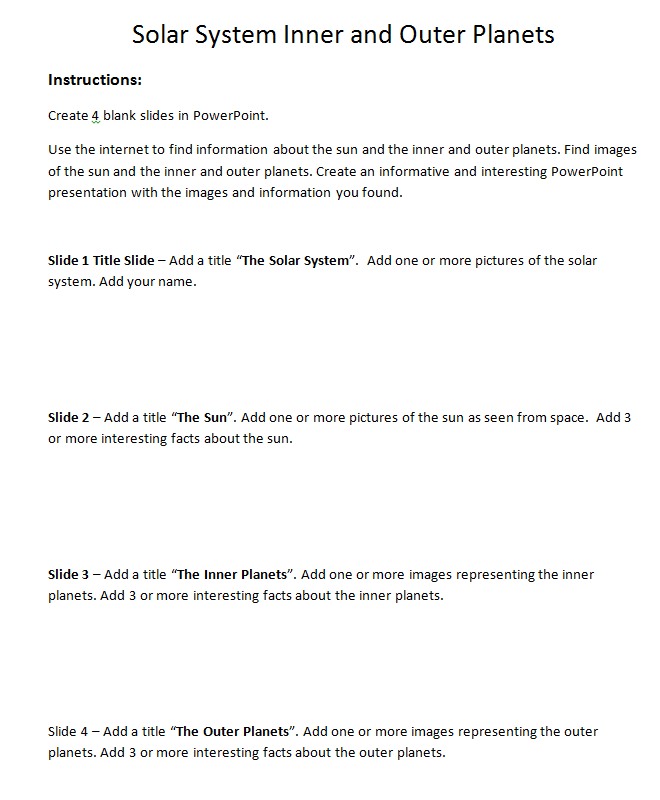
Title Slide - The Solar System
Students create a title "The Solar System", add a picture of the solar system and add their name.
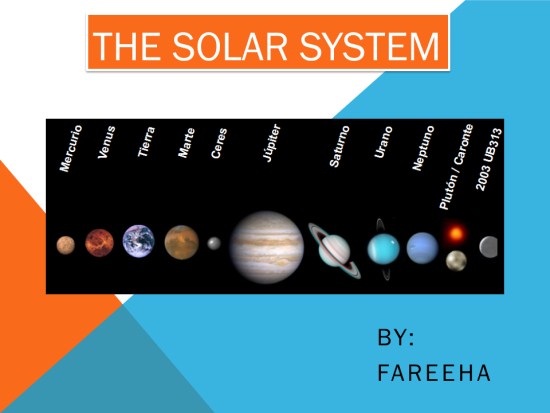
The Sun
Students add a title "The Sun" and add an image of the sun. Students add 3 or more interesting facts about the sun.
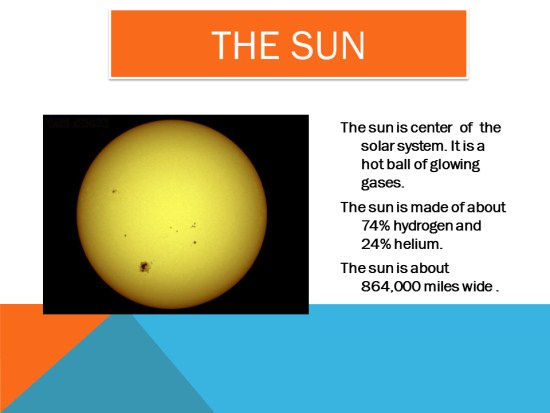
The Inner Planets
Students add a title "The Inner Planets" and add an image of the inner planets. Students add 3 or more interesting facts about the inner planets.
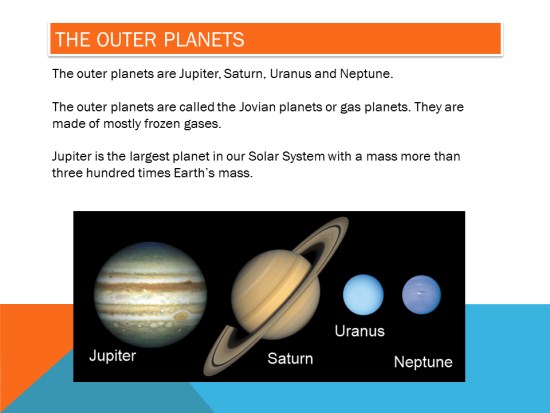
The Outer Planets
Students add a title "The Outer Planets" and add an image of the outer planets. Students add 3 or more interesting facts about the outer planets.
Student Instructions