Second Grade Technology Lessons - Qtr. 1
Touch Typing and Word Processing Skills Development
Second Grade Technology Lessons focus on typing skills development and word processing (Qtr.1), spreadsheets and coding (Qtr.2), research (Qtr.3), and presentations (Qtr.4).
In the 1st quarter, students continue developing typing skills using the home row keys. Students also improve their writing skills through word processing. Students write friendly letters taking care to use appropriate capitalization, spelling, word spacing, and punctuation.
Recommendations:
- Typing Lessons: Focus on typing accuracy, proper finger placement, not speed. Speed will be acquired naturally over time in the future months and years of typing lessons. However, if you need a benchmark of Words Per Minute typed, then I use about 5 words per minute per grade level. That means second graders aim for typing about 10 words per minute on average.
- File Distribution: Share assignment files using a cloud storage service, your school's learning management system, or a shared network drive on your school's internal network.
- Enrichment: Use the enrichment activities to support regular classroom curricula. Good for early finishers, late arrivals, supplementation, differentiation.
- Time Management: These weekly lessons are programmed for 2 weekly sessions of 45 minutes each. Adjust the activity selections according to your own needs.
Second Grade Technology Lesson Schedule:
First Quarter - August ~ October
Main Topics Covered: Typing, Word Processing (friendly letters, punctuation practice)
9 Sessions = Typing with fingers on home row - no pecky typing
9 Sessions = Word Processing (friendly letters, punctuation practice)
Prerequisites: Internet access, Word Processor (MS Word or Friendly Letter Creator)
Week 1 - Qtr. 1:
Session 1:
Introductions | Lab Rules | Typing | Enrichment
Do Introductions: Introduction to the computer lab teacher, discuss what we will do in the lab. Spend time getting to know the students.
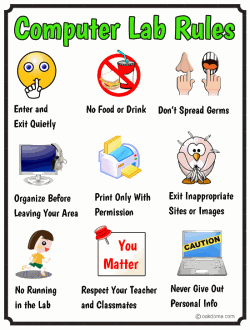
Review Computer Lab Rules: Discuss the rules of the computer lab
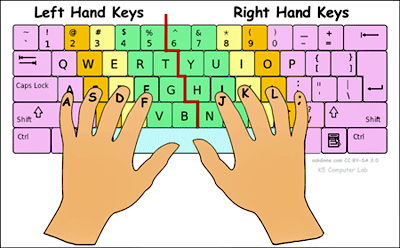
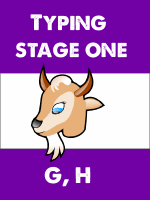
Review of Typing Stage 1: Demonstrate how to use Dance Mat Typing stage one, level one ( ASDF,JKL; and G, H ) or your school's preferred typing program. Review the homerow and proper finger technique.
Download: proper-keyboard-finger-placement-on-the-keyboard.pdf
- Assign Typing Practice Stages 1 -3
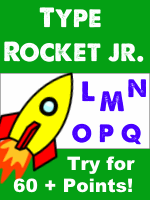
- Assign 3 Minutes of: Typing Rocket Jr. Try to get a final score of 60 points or more.
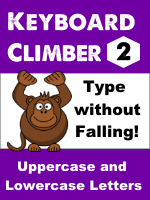
- Assign: Keyboard Climber. Type with both hands. FINISH level two.
- Assign Enrichment - Students work on these enrichment activities after typing.
Assign 25-30 minutes or until done.


Week 1 - Qtr. 1:
Session 2:
Word Processing - "All About Me" | Enrichment
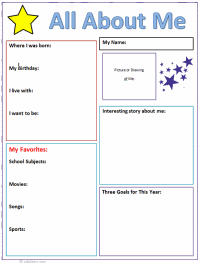
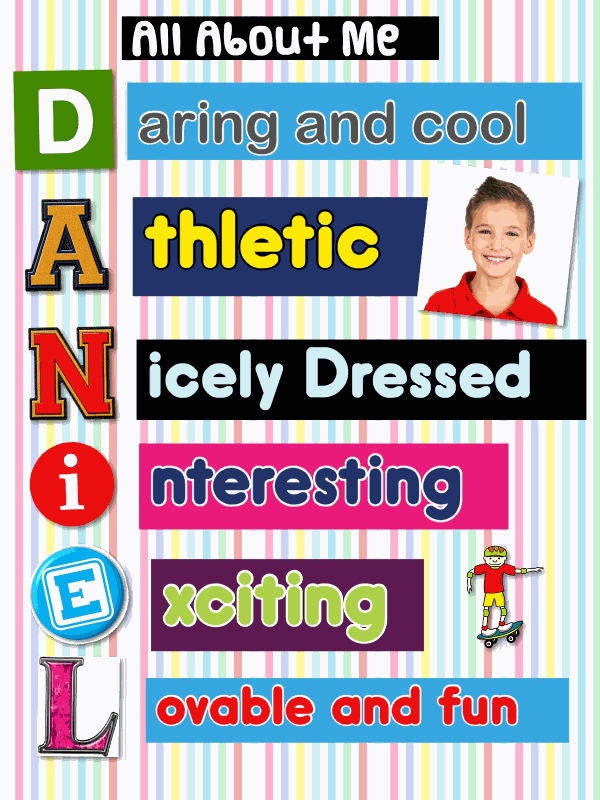
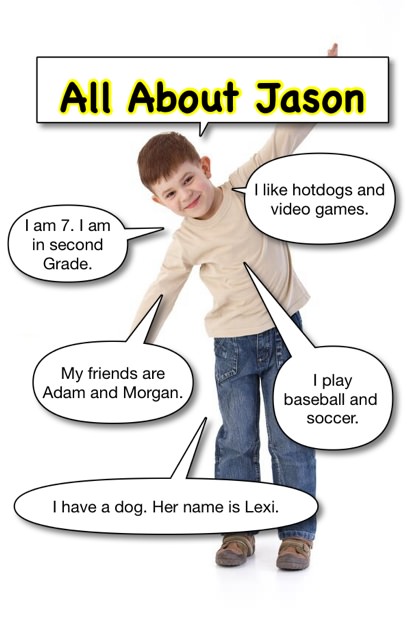
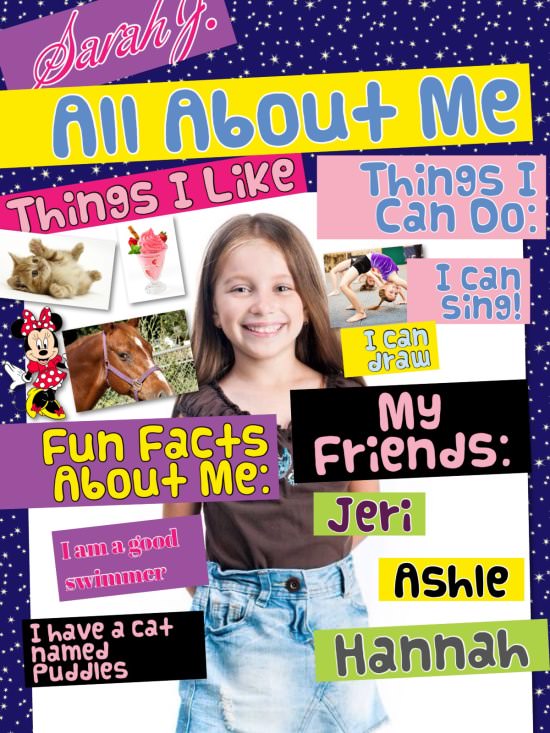
- Assign: "All About Me" Students create their own informative "All About Me" page that includes fun facts about themselves.
- All About Me: (Windows) ( Mac / ipad) ( ipad Pic Collage Acrostic ) (ipad Balloon Stickies) (ipad Pic Collage)
- Assign Enrichment - Students work on these enrichment activities when finished.
Week 2 - Qtr. 1:
Session 1: Typing Practice
Demo Typing - Demonstrate how to use the typing program below (or your own chosen typing program). Review proper finger placement and typing technique.
- Assign Typing Practice Stages 1 -3
- Assign 3 Minutes of: Typing Rocket Jr. Try to get a final score of 60 points or more.
- Assign: Keyboard Climber. Type with both hands. FINISH level two.
- Assign Enrichment - Students work on these enrichment activities after typing.
Assign 25-30 minutes or until done.
Week 2 - Qtr. 1:
Session 2:
Word Processing - Friendly Letter | Punctuation Practice | Enrichment
Demo the Friendly Letter:
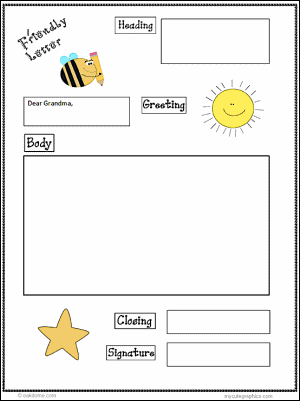
Make the "Friendly Letter" graphic organizer available to students. Demo how to use the friendly letter graphic organizer, or use The Friendly Letter Creator. If you have access to BrainPop Jr., show this "How To" friendly letter video.
- Option 1 - Assign Friendly Letter Writing:
- Option 2 - Punctuation Practice - Word Processing
- Assign Enrichment - Students work on these enrichment activities when finished.
Write a friendly letter to your teacher. Tell about something that happened during summer vacation. Write 65-95 words or more about your summer. Save your work.
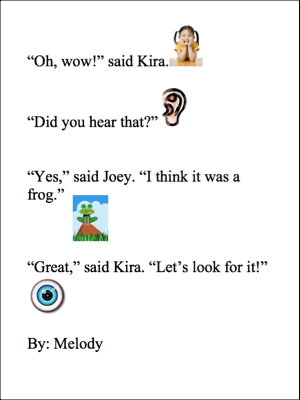
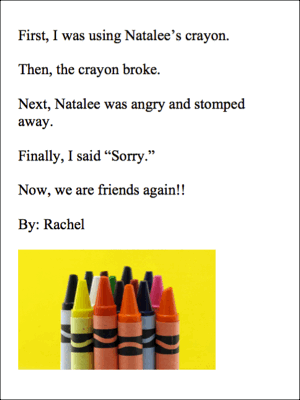
Practice writing sentences with punctuation. Students use proper capitalization, spelling, word spacing, and punctuation. Students may change font size, color, and style. Students may add images / clipart if possible.
Week 3 - Qtr. 1:
Session 1: Typing Practice
Demo Typing - Demonstrate how to use the typing program below (or your own chosen typing program). Review proper finger placement and typing technique.
- Assign Typing Practice Stages 1 -3
- Assign 3 Minutes of: Typing Rocket Jr. Try to get a final score of 60 points or more.
- Assign: Keyboard Climber. Type with both hands. FINISH level two.
- Assign Enrichment - Students work on these enrichment activities after typing.
Assign 25-30 minutes or until done.
Week 3 - Qtr. 1:
Session 2:
Word Processing - Friendly Letter | Punctuation Practice | Enrichment
Demo the Friendly Letter:
Make the "Friendly Letter" graphic organizer available to students. Demo how to use the friendly letter graphic organizer, or use The Friendly Letter Creator. If you have access to BrainPop Jr., show this "How To" friendly letter video.
- Option 1 - Assign Friendly Letter Writing:
- Option 2 - Punctuation Practice - Word Processing
- Assign Enrichment - Students work on these enrichment activities when finished.
Write a friendly letter to your mom. Tell her about a movie you would like to see soon. Tell her what the movie is about. Ask her if she would like to watch the movie with you. Use correct capitalization, word spacing, spelling, and punctuation. Write 65-95 words or more. Save your work.
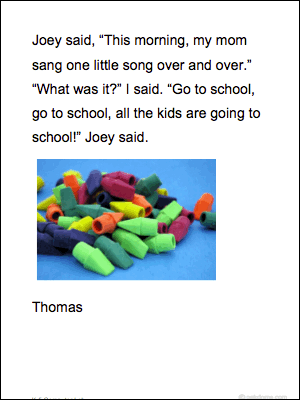
Practice writing sentences with punctuation. Students use proper capitalization, spelling, word spacing, and punctuation. Students may change font size, color, and style. Students may add images / clipart if possible.
Week 4 - Qtr. 1:
Session 1: Typing Practice
Demo Typing - Demonstrate how to use the typing program below (or your own chosen typing program). Review proper finger placement and typing technique.
- Assign Typing Practice Stages 1 -3
- Assign 3 Minutes of: Typing Rocket Jr. Try to get a final score of 60 points or more.
- Assign: Keyboard Climber. Type with both hands. FINISH level two.
- Assign Enrichment - Students work on these enrichment activities after typing.
Assign 25-30 minutes or until done.
Week 4 - Qtr. 1:
Session 2:
Word Processing - Friendly Letter | Punctuation Practice | Enrichment
Demo the Friendly Letter:
Make the "Friendly Letter" graphic organizer available to students. Demo how to use the friendly letter graphic organizer, or use The Friendly Letter Creator. If you have access to BrainPop Jr., show this "How To" friendly letter video.
- Option 1 - Assign Friendly Letter Writing:
- Option 2 - Punctuation Practice - Word Processing
- Assign Enrichment - Students work on these enrichment activities when finished.
Write a friendly letter to a student in class. Tell about something that happened today during lunch, recess, or P.E. Use correct capitalization, word spacing, spelling, and punctuation. Write 65-95 words or more. Save your work.
Practice writing sentences with punctuation. Students use proper capitalization, spelling, word spacing, and punctuation. Students may change font size, color, and style. Students may add images / clipart if possible.

Week 5 - Qtr. 1:
Session 1: Typing Practice
Demo Typing - Demonstrate how to use the typing program below (or your own chosen typing program). Review proper finger placement and typing technique.
- Assign Typing Practice Stages 1 -3
- Assign 3 Minutes of: Typing Rocket Jr. Try to get a final score of 60 points or more.
- Assign: Keyboard Climber. Type with both hands. FINISH level two.
- Assign Enrichment - Students work on these enrichment activities after typing.
Assign 25-30 minutes or until done.
Week 5 - Qtr. 1:
Session 2:
Word Processing - Friendly Letter | Punctuation Practice | Enrichment
Demo the Friendly Letter:
Make the "Friendly Letter" graphic organizer available to students. Demo how to use the friendly letter graphic organizer, or use The Friendly Letter Creator. If you have access to BrainPop Jr., show this "How To" friendly letter video.
- Option 1 - Assign Friendly Letter Writing:
- Option 2 - Punctuation Practice - Word Processing
- Assign Enrichment - Students work on these enrichment activities when finished.
Write a friendly letter to your grandma. Tell her you are going to Disneyland soon. Tell her that before you go, you want to ask her three things. Use correct capitalization, word spacing, spelling, and punctuation. Write 65-95 words or more. Save your work.
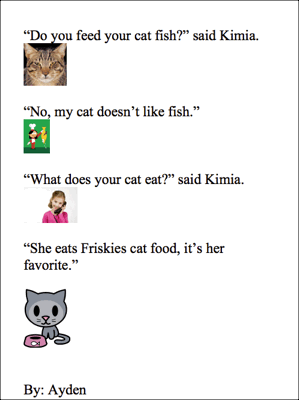
Practice writing sentences with punctuation. Students use proper capitalization, spelling, word spacing, and punctuation. Students may change font size, color, and style. Students may add images / clipart if possible.
Week 6 - Qtr. 1:
Session 1: Typing Practice
Demo Typing - Demonstrate how to use the typing program below (or your own chosen typing program). Review proper finger placement and typing technique.
- Assign Typing Practice Stages 1 -3
- Assign 3 Minutes of: Typing Rocket Jr. Try to get a final score of 60 points or more.
- Assign: Keyboard Climber. Type with both hands. FINISH level two.
- Assign Enrichment - Students work on these enrichment activities after typing.
Assign 25-30 minutes or until done.
Week 6 - Qtr. 1:
Session 2:
Word Processing - Friendly Letter | Punctuation Practice | Enrichment
Demo the Friendly Letter:
Make the "Friendly Letter" graphic organizer available to students. Demo how to use the friendly letter graphic organizer, or use The Friendly Letter Creator. If you have access to BrainPop Jr., show this "How To" friendly letter video.
- Option 1 - Assign Friendly Letter Writing:
- Option 2 - Punctuation Practice - Word Processing
- Assign Enrichment - Students work on these enrichment activities when finished.
Write a friendly letter to your friend. Tell about a birthday party you are having at your house soon. Tell your friend they are invited. Tell them to find out if they could come to the party. Tell them to please write back. Use correct capitalization, word spacing, spelling, and punctuation. Write 65-95 words or more. Save your work.
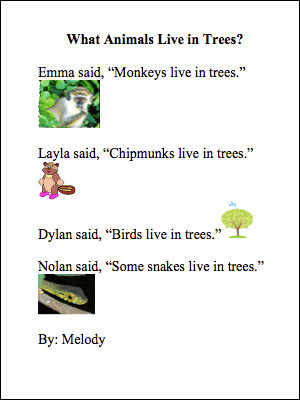
Practice writing sentences with punctuation. Students use proper capitalization, spelling, word spacing, and punctuation. Students may change font size, color, and style. Students may add images / clipart if possible.
Week 7 - Qtr. 1:
Session 1: Typing Practice
Demo Typing - Demonstrate how to use the typing program below (or your own chosen typing program). Review proper finger placement and typing technique.
- Assign Typing Practice Stages 1 -3
- Assign 3 Minutes of: Typing Rocket Jr. Try to get a final score of 60 points or more.
- Assign: Keyboard Climber. Type with both hands. FINISH level two.
- Assign Enrichment - Students work on these enrichment activities after typing.
Assign 25-30 minutes or until done.
Week 7 - Qtr. 1:
Session 2:
Word Processing - Friendly Letter | Punctuation Practice | Enrichment
Demo the Friendly Letter:
Make the "Friendly Letter" graphic organizer available to students. Demo how to use the friendly letter graphic organizer, or use The Friendly Letter Creator. If you have access to BrainPop Jr., show this "How To" friendly letter video.
- Option 1 - Assign Friendly Letter Writing:
- Option 2 - Punctuation Practice - Word Processing
- Assign Enrichment - Students work on these enrichment activities when finished.
Write a friendly letter to your parents. Thank them for something they have done for you recently. Explain what made it so special for you. Write 65-95 words or more. Save your work.
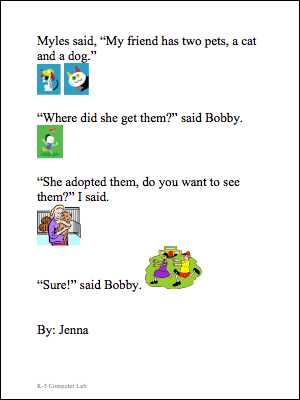
Practice writing sentences with punctuation. Students use proper capitalization, spelling, word spacing, and punctuation. Students may change font size, color, and style. Students may add images / clipart if possible.
Week 8 - Qtr. 1:
Session 1: Typing Practice
Demo Typing - Demonstrate how to use the typing program below (or your own chosen typing program). Review proper finger placement and typing technique.
- Assign Typing Practice Stages 1 -3
- Assign 3 Minutes of: Typing Rocket Jr. Try to get a final score of 60 points or more.
- Assign: Keyboard Climber. Type with both hands. FINISH level two.
- Assign Enrichment - Students work on these enrichment activities after typing.
Assign 25-30 minutes or until done.
Week 8 - Qtr. 1:
Session 2:
Word Processing - Friendly Letter | Punctuation Practice | Enrichment
Demo the Friendly Letter:
Make the "Friendly Letter" graphic organizer available to students. Demo how to use the friendly letter graphic organizer, or use The Friendly Letter Creator. If you have access to BrainPop Jr., show this "How To" friendly letter video.
- Option 1 - Assign Friendly Letter Writing:
- Option 2 - Punctuation Practice - Word Processing
- Assign Enrichment - Students work on these enrichment activities when finished.
Write a friendly letter to your friend. Invite them to a play date at your house. Tell them what kinds of fun food you will have. Tell them what time the play date begins. Write 65-95 words or more. Save your work.
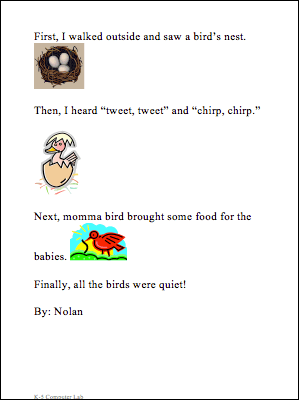
Practice writing sentences with punctuation. Students use proper capitalization, spelling, word spacing, and punctuation. Students may change font size, color, and style. Students may add images / clipart if possible.
Week 9 - Qtr. 1:
Session 1: Typing Practice
Demo Typing - Demonstrate how to use the typing program below (or your own chosen typing program). Review proper finger placement and typing technique.
- Assign Typing Practice Stages 1 -3
- Assign 3 Minutes of: Typing Rocket Jr. Try to get a final score of 60 points or more.
- Assign: Keyboard Climber. Type with both hands. FINISH level two.
- Assign Enrichment - Students work on these enrichment activities after typing.
Assign 25-30 minutes or until done.
Week 9 - Qtr. 1:
Session 2:
Word Processing - Friendly Letter | Punctuation Practice | Enrichment
Demo the Friendly Letter:
Make the "Friendly Letter" graphic organizer available to students. Demo how to use the friendly letter graphic organizer, or use The Friendly Letter Creator. If you have access to BrainPop Jr., show this "How To" friendly letter video.
- Option 1 - Assign Friendly Letter Writing:
- Option 2 - Punctuation Practice - Word Processing
- Assign Enrichment - Students work on these enrichment activities when finished.
Write a friendly letter to your teacher. Tell about the best thing you learned in class. Tell why you like it. Tell about the second best thing you learned in class and why you like that too. Write 65-95 words or more. Save your work.
Practice writing sentences with punctuation. Students use proper capitalization, spelling, word spacing, and punctuation. Students may change font size, color, and style. Students may add images / clipart if possible.